Every place your business name, address and phone number appear online is a citation: a map app, a review site, an industry directory, a licensing record, an event page that lists you as a sponsor. Google reads these scattered mentions to check that a business is real and that its details are current. Calabasas, CA is a small city where customers compare carefully, so small errors in your local citations can cost more than owners expect. Here are plain answers to the usual questions, then a way to find and fix the listings that are wrong.
What exactly are local citations?
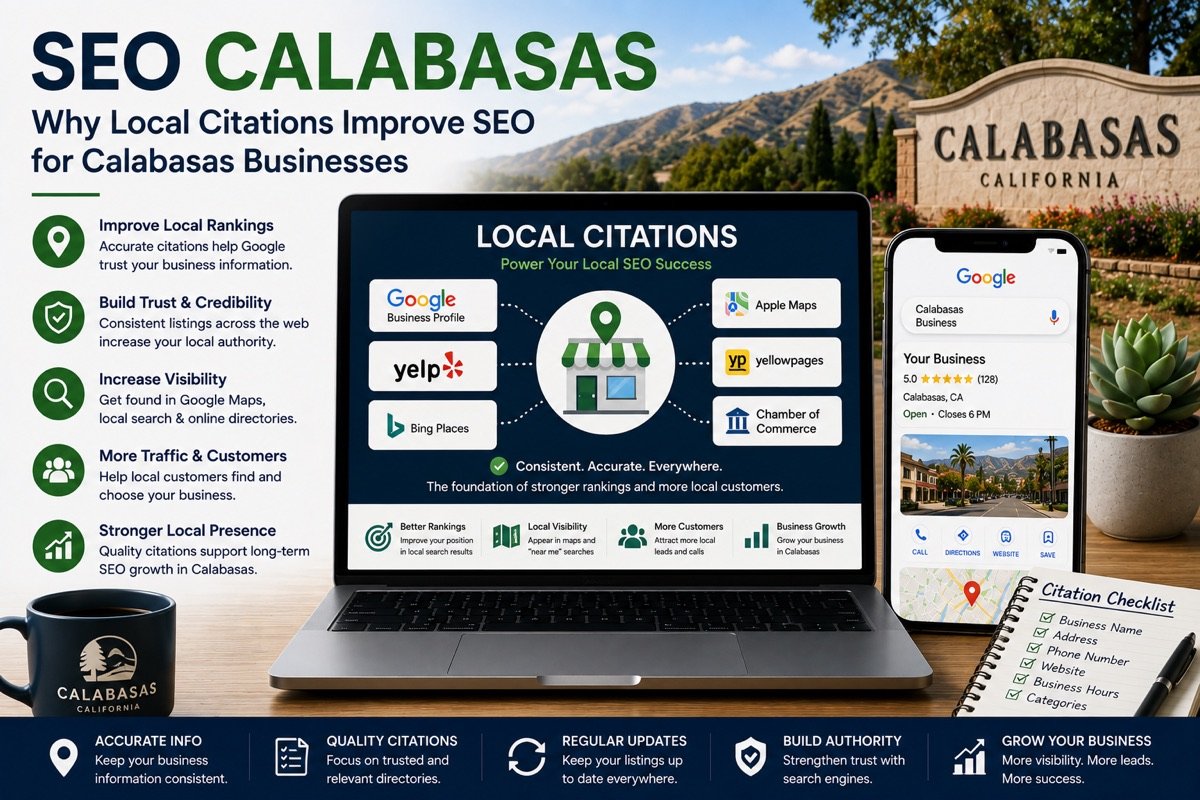
There are two kinds. Structured citations are formal listings with fields for each detail: your Google Business Profile, Apple Maps, Bing Places, Yelp and the directories specific to your trade. Unstructured citations, on the other hand, are mentions inside ordinary pages. Examples include a local news story, a chamber of commerce member page, a vendor list for the Saturday farmers market in Old Town, or a sponsor list for the Pumpkin Festival.
Licensing records count too, and they are easy to forget. Contractors appear in the Contractors State License Board lookup, attorneys in the State Bar of California’s records, real estate agents with the Department of Real Estate. If the business name or address there differs from your website, that is a mismatch Google can see.
Why do consistent local citations affect Google Maps?
When most sources agree on your name, address, phone number and hours, Google can show your listing with confidence. When they disagree, however, it has to guess. Google’s own tips on local ranking make the same point: complete, accurate details make a business more likely to appear in local results. The results of a bad guess are familiar. An old phone number shows on the map, a second listing appears for the same business, or the hours do not match the door. Customers who check details before they drive, with searches like “calabasas urgent care hours” or “calabasas car wash hours”, simply move on when the first result looks unreliable.
What goes wrong with Calabasas listings in particular?
- An incomplete city line. Always write “Calabasas, CA” with the ZIP code. After you submit a listing, check that the directory saved the city, state and ZIP exactly as you typed them.
- Two ZIP codes and two area codes. The city uses 91301 and 91302, and phone numbers here start with 818 or 747. Pick the correct ZIP and one main number and use them everywhere. Otherwise, a call-tracking number on one site and your office line on another looks like two businesses.
- Neighboring city names. If a directory has filed you under Woodland Hills or Agoura Hills, correct it. If you travel to clients in Hidden Hills or Westlake Village, show that as a service area rather than changing your city.
- Moves and construction. A redevelopment at The Commons began in 2026. If a suite number, entrance or set of hours changes, every listing needs the update, not only your website.
- Fire-season closures. The whole city sits inside zones CAL FIRE rates high or very high for fire hazard, and evacuations do happen. Mark a temporary closure on your Business Profile first, then remove it as soon as you reopen.
Is it better to be listed in hundreds of directories?
No. A short list of accurate, relevant local citations is worth far more than a bulk submission to sites nobody visits. Those packages often create profiles you cannot log in to later, and they go stale. Instead, concentrate on the major map platforms and the review sites your customers actually read. Then add the directory or association for your trade, and your licensing record.
What if I work from home?
A lot of Calabasas firms work inside private homes, where discretion is expected. If customers do not visit you, hide your street address on your Business Profile and list the areas you serve instead. Keep the rest of the details identical across every listing. That way, consistency does not depend on publishing where you live.
How to find and fix your local citations, step by step
- Write your master record. One exact version of the name, street address and suite, “Calabasas, CA” with the ZIP, main phone number, website address and hours. You then compare every listing against it.
- Search for yourself. Look up your business name, your phone number and any former address in quotation marks, and note every listing that appears.
- Check the big three map platforms. Claim or verify Google, Apple Maps and Bing Places, and correct any field that differs from the master record.
- Review industry and review sites. Fix what you can log in to; request corrections where you cannot.
- Match your licensing record. Make sure the name and address with your board agree with your website.
- Merge or remove duplicates. Two listings for one business split your reviews and confuse Google.
- Keep a simple log. Record each site, its login and the date you checked it. After that, repeat the review every few months and after any change.
This kind of upkeep is part of our Google Maps listing management, and it supports the pages and local signals built through local SEO in Calabasas, CA. Contractors will find more on license numbers and trust signals on our page for contractors and remodelers in Calabasas. Common questions about timelines and privacy are covered in the Calabasas SEO FAQ. Would you like a list of the local citations that are wrong today? Request a free SEO audit; a citation check comes with it.